
Powered by Smartsupp
Quick access
Add your Guardlet to your home screen for faster access
Guardlet
Guardlet

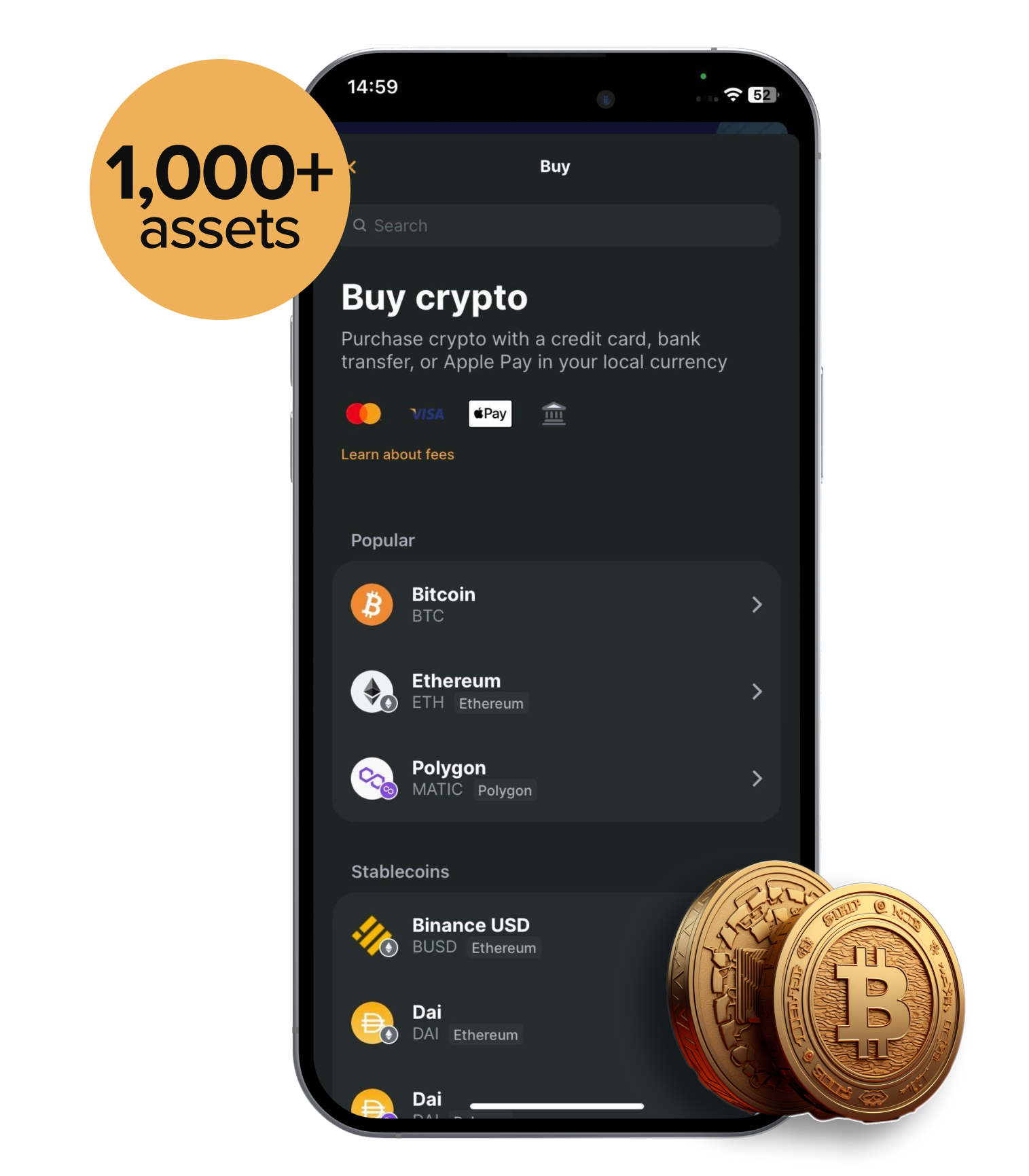
Buy Crypto on Guardlet

Fast, secure, and flexible payment options. No compromises.

Available payment methods

Credit/Debit Card

Buy Crypto with Credit/Debit Card

Use Visa, Mastercard, or Maestro to purchase crypto on Guardlet quickly and securely.

Bank Transfer

Buy Crypto with Bank Transfer

Link your bank account and use SEPA (EU) or SWIFT (global) for secure transfers.

Apple Pay

Buy Crypto with Apple Pay

Convenient, secure Apple Pay purchases on supported Apple devices. Apple Gift Cards not supported.

Google Pay

Buy Crypto with Google Pay

Android users can use Google Pay for a fast, secure checkout experience.

PayPal

Buy Crypto with PayPal

Use your active PayPal account linked to your bank or card to buy crypto.

How to buy crypto

Buy crypto in a few simple steps
  1. Create your Guardlet wallet and verify your email.
  2. Tap “Buy”, enter amount. Choose Bitcoin, Ether, stablecoins, and more. Minimum purchase is $50.
  3. Enter the verification code sent to your email and accept the terms.
  4. Enter your billing address. Ensure it matches a supported country. Additional documents may be requested.
  5. Choose a payment method and buy. Congrats—your purchase will be on its way.

Why choose Guardlet

Portfolio accessibility

Access your portfolio anytime. Buy, trade, view, send—on the go. No minimums or maximums.

Keyless wallet security

Advanced MPC security with 3FA and threshold signatures keeps your assets safe—without seed phrases.

Control your cryptoassets

Stay in control. Buy, send, receive, and swap—without unnecessary fees.

Effortless recoverability

Lost your device? Recover access using email, FaceLock, and Recovery File with help from our team.

24/7 live support

Talk with real people in-app, anytime. We’re here to help around the clock.

Buy Crypto - FAQ

To buy crypto on Guardlet, follow these steps:

  1. Choose the “Buy” option.
  2. Enter the amount you want to purchase.
  3. Select your payment method.
  4. Complete the transaction.

Once the payment is processed, your crypto will be deposited into your Guardlet wallet.

You can use the following methods, depending on your region and provider availability:

  • Apple Pay
  • Google Pay
  • Credit/Debit Card (Visa, Mastercard, Maestro)
  • Bank Transfer (SEPA/SWIFT)
  • PayPal

Most purchases complete within a few minutes. Timing may vary based on network congestion, payment processing, and exchange partner. We’ll notify you when your purchase is complete.

No. Guardlet works with regulated partners who follow AML and KYC requirements. You must complete identity verification before buying.

You must be at least 18 years old and provide a valid ID to buy crypto via Guardlet’s partners.

Guardlet is free to use as a self-custodial wallet. When buying, selling, or swapping, you may see network fees (not paid to Guardlet), exchange fees, and provider service fees. Fees vary by payment method, currency, and operator. A clear fee breakdown is shown before you pay.

Note: Guardlet Pro may offer reduced service fees.

Yes. Guardlet’s keyless MPC security, 3FA recovery, and Web3 Firewall help protect your assets from common threats. Your wallet is secured by your email, 3D FaceLock, and Recovery File— without vulnerable seed phrases.

Gift cards are not supported. Please choose one of the supported payment methods.

Guardlet is available in many countries worldwide. Availability varies by local regulation and partner coverage. If your country isn’t supported for purchases, you can still store, send, and swap crypto using Guardlet.

To sell: choose the “Sell” option, enter amount, and confirm. Fiat settles to your chosen payment method, where supported. To swap: choose “Swap”, select the assets, review fees and the rate, and confirm.

Ready to get started?

Join over 1.5M users who trust Guardlet to secure their money.